
The long-awaited One UI 8.5 update is spreading to more Galaxy devices. An increasing number of users are now experiencing Samsung's latest features and visual refinements.
Samsung describes One UI 8.5 as offering “immersive visuals” and “meaningful personalization for a more refined and sophisticated design.” Some of the latest aesthetic changes are obvious the moment you unlock your phone, while others are tucked away inside Samsung's apps.
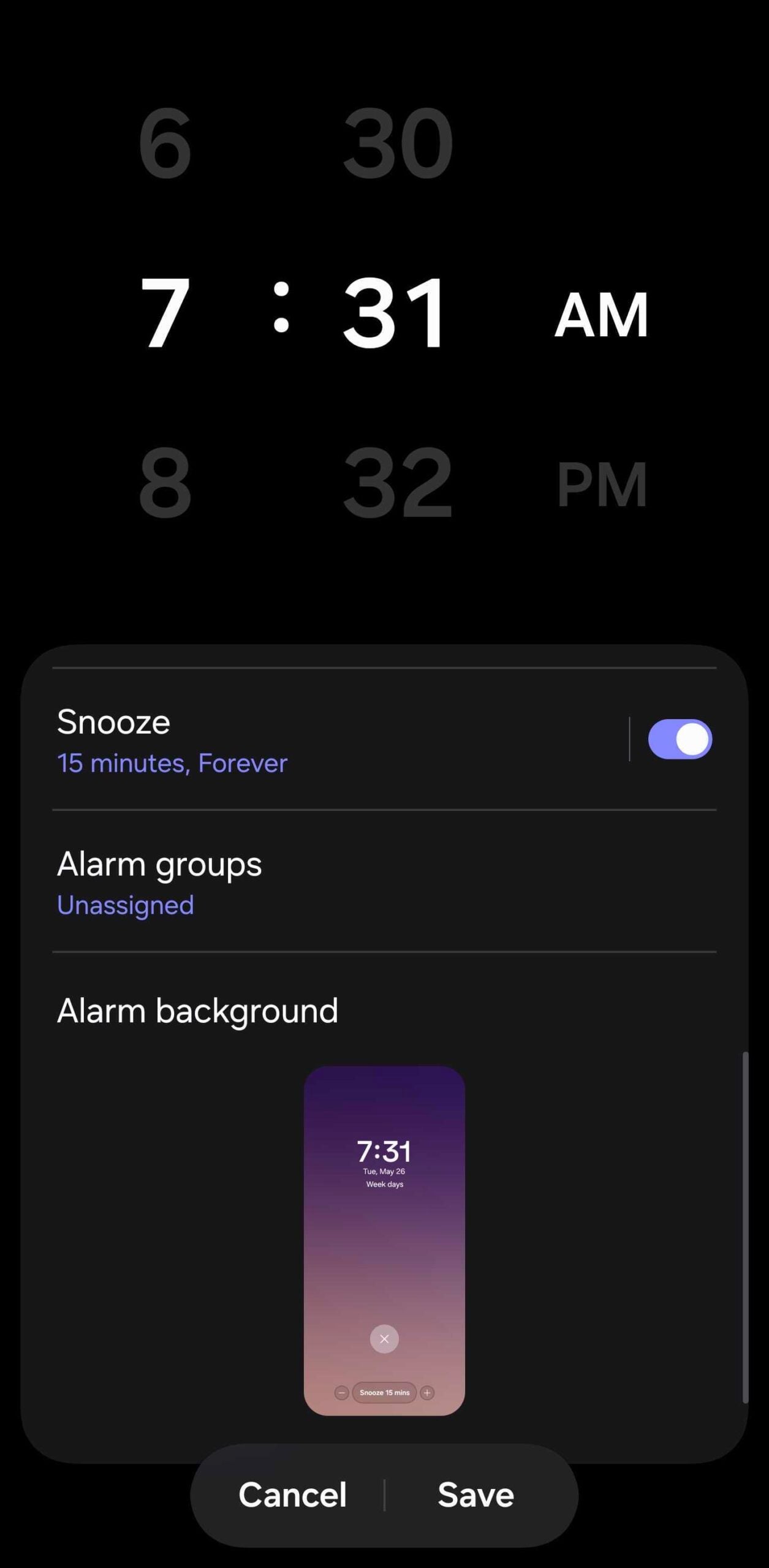
One of those smaller but charming additions concerns the Samsung Clock app. In One UI 8.5, the app now includes a new alarm background system that changes depending on the weather outside.
It's a subtle touch, but it can help set the mood at the start of the day. A rainy morning, cloudy skies, or bright sunshine can all influence the animated background you see when your alarm goes off. If you want to try the feature on your Galaxy device, here's all you need to know.
How to enable the weather alarm background
First, make sure the Samsung Clock app is updated to the latest available version on your One UI 8.5 device. To check, open the Clock app and go to Menu > Settings > About Clock. If no other updates are available, follow these steps:
- Select an alarm > scroll down and tap Alarm background > Background > Featured > Weather > Done.


Once set up, the Clock app will automatically check the current weather whenever your alarm rings and match the background accordingly.
The backgrounds are not static images, either. One UI 8.5 uses subtle animations that change depending on the weather conditions outside, which makes the feature feel a little more polished than a simple wallpaper swap.
There is one technical detail worth keeping in mind. The Samsung Clock app relies on your Galaxy phone's location services to determine the weather in your area whenever your alarm rings. For the most accurate results, make sure location services are enabled on your device.


Post a Comment